

WhatsApp Chatbot: How It Works, Benefits, and Solutions for Business

Response speed often decides whether a prospect continues with a purchase or switches to a competitor. The problem is that a business team cannot always answer every message quickly, especially as the number of conversations keeps growing.
During busy hours, customer messages can pile up. Outside business hours, prospects may have to wait until the next day. This does not only lower service quality, it also costs the business sales opportunities.
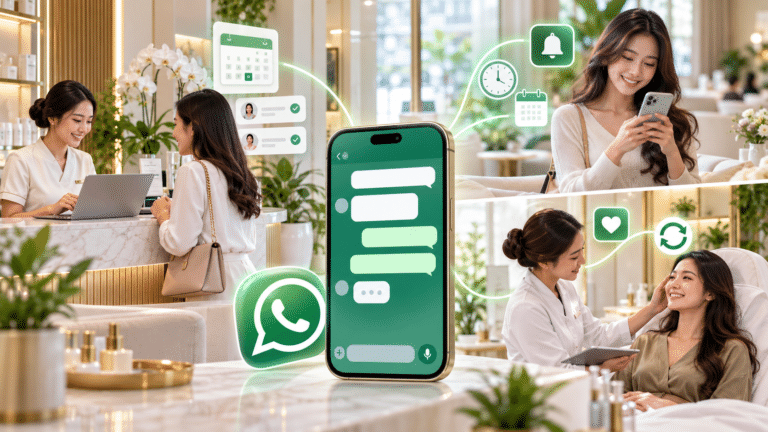
That is why more and more companies are using WhatsApp chatbots to handle conversations automatically. This technology helps businesses answer questions, collect customer information, schedule appointments, send reminders, and route conversations to the right agent.
But a WhatsApp chatbot is not just an auto-reply feature. With the right system, businesses can turn WhatsApp into an integrated channel for customer service, marketing, sales, and engagement.
What Is a WhatsApp Chatbot?
A WhatsApp chatbot is an automated conversation program that runs on WhatsApp. It receives messages from customers, understands what they need, and then gives an answer or takes an action according to the flow the company has defined.
For example, when a customer types “I want to know the price of a product”, the chatbot can immediately show a product list, ask for the customer’s location, or connect the conversation to the sales team.
A chatbot with artificial intelligence can understand a much wider variety of questions. Customers do not always have to type the same words or sentences to get the right answer.
Besides giving answers, a WhatsApp chatbot can also run several processes, such as:
- Collecting prospects’ names and needs
- Providing product information
- Answering frequently asked questions
- Helping customers book appointments
- Checking order status
- Sending payment reminders
- Handing customers over to a human agent
- Storing conversation history for analysis
With these functions, a chatbot helps businesses run more structured communication without making it hard for customers to get information.
How Does a WhatsApp Chatbot Work?
In general, a WhatsApp chatbot works in several stages.
First, the customer sends a message to the business WhatsApp number. The chatbot then reads the message and identifies the customer’s needs based on keywords, menu choices, conversation context, or AI-based language processing.
Next, the chatbot decides on the right response. The system can pull answers from a knowledge base, product catalog, ordering system, CRM, or company database.
For example, when a customer asks for a delivery status, the chatbot can ask for the order number. Once the customer provides it, the system checks the order data and shows the shipping information automatically.
However, not every conversation has to be completed by the chatbot. When a question is too complex or the customer asks for direct help, the system can hand the conversation over to a human agent. The agent then continues the conversation without asking the customer to repeat everything from the start.
This flow makes a WhatsApp chatbot work as both a filter and an assistant for the customer service and sales teams. The chatbot handles repetitive needs, while human agents focus on issues that require analysis, negotiation, or a personal approach.
The Benefits of a WhatsApp Chatbot for Business
Faster Customer Responses
Customers do not have to wait for an agent to read and reply to messages one by one. A chatbot can answer basic questions as soon as the first message arrives.
Fast responses are very important, especially when customers are comparing several providers. The longer a business takes to reply, the more likely the customer is to contact a competitor.
Serving Customers 24 Hours a Day
A WhatsApp chatbot can keep serving customers outside working hours. Customers can look for information, check orders, or submit requests at any time.
Even if the team only follows up on certain requests during business hours, the chatbot keeps the initial communication going. This way, customers know the business has received their request.
Reducing the Team’s Workload
Questions about prices, locations, opening hours, order status, payment methods, and service policies usually come up again and again.
A chatbot can handle these questions automatically. As a result, the customer service team does not have to keep answering the same questions and can focus on more important cases.
Collecting and Qualifying Leads
A WhatsApp chatbot can ask prospects for their name, location, type of need, budget, or purchase timeline. The system can then group leads by their level of interest.
The sales team also receives more complete information before starting a conversation. This helps sales prioritize prospects with higher conversion potential.
Keeping Information Consistent
Each agent may answer in a different style or with a different level of detail. A chatbot, on the other hand, gives answers based on the same flow and the same information sources.
This consistency helps businesses reduce information errors, especially for prices, procedures, promotions, service terms, or company policies.
Supporting Sales and Customer Retention
A chatbot does more than answer questions. Businesses can also use it to send reminders, follow up with prospects, offer relevant products, and share loyalty programs.
With well-timed communication, businesses can maintain customer relationships without always relying on manual follow-up.
Examples of WhatsApp Chatbot Use
Sales and Lead Qualification
Property companies can use a chatbot to ask which location the customer is looking for, their price range, unit type, and preferred visit schedule. After collecting this information, the chatbot routes the lead to the right salesperson.
Automotive businesses can use a similar flow to schedule test drives, collect vehicle preferences, and follow up on offers.
Customer Service
A chatbot can answer general questions, create complaint tickets, and give customers a report number. When an issue needs further investigation, the chatbot hands the conversation over to an agent.
This way, customers get an initial response faster, while the team can handle complaints in a more orderly way.
Retail and E-Commerce
Retail businesses can use a chatbot to share catalogs, check stock availability, send order status updates, and provide shipping information.
Businesses can also send promotions that match customer segments, run loyalty programs, and encourage repeat purchases.
Healthcare
Clinics or hospitals can use a chatbot to schedule consultations, send visit reminders, provide service information, and follow up after check-ups.
Automated reminders can help patients keep their appointments, while the administrative team spends less time on manual communication.
Education
Schools and educational institutions can use a WhatsApp chatbot to answer enrollment questions, send announcements, share schedule information, and remind families about tuition payments.
Institutions can also set up different communication flows for prospective students, current students, and parents.
Finance and Billing
Companies can send transaction notifications, payment reminders, due date information, or payment confirmations through WhatsApp.
However, businesses still need to take security, customer consent, and data management seriously, especially when communication involves financial information.
WhatsApp Chatbot vs Regular WhatsApp
Regular WhatsApp suits businesses that receive a limited number of conversations. The owner or an admin can answer every message manually without needing a complex system.
But this approach starts to cause problems as message volume grows. Conversations pile up, admins miss messages, and customers have to wait longer.
A WhatsApp chatbot offers a different approach. The system can respond to many conversations at once, run automated flows, collect customer data, and route conversations to the right team.
In addition, solutions built on WhatsApp Business API let several agents manage conversations through one dashboard. Businesses do not need to share one device or rely on one admin to handle every message.
So regular WhatsApp is better suited for simple communication, while a WhatsApp chatbot is better suited for businesses that want to increase service capacity, manage leads, run automation, and monitor team performance.
WhatsApp Chatbot vs Website Live Chat
Live chat helps visitors communicate while they are on a website. It is useful for answering questions while customers are looking at a product or service page.
However, customers usually have to keep the website open to continue the conversation. When they close the page, the business can lose the momentum of the conversation.
WhatsApp offers a more flexible experience because the conversation stays saved in the customer’s app. They can leave the conversation and come back to it when they have time.
That said, businesses do not have to choose one or the other. Companies can use live chat to capture website visitors, then move the follow-up conversation to WhatsApp. Omnichannel integration can also bring conversations from several channels together in one system.
WhatsApp Chatbot Features to Consider
Not every chatbot platform offers the same capabilities. That is why businesses need to compare features based on their operational needs, number of agents, message volume, and the systems they already use.
One solution that offers communication management built on WhatsApp Business API is Smartive from PT. Smart Milenium Effisiensi (SME). The platform combines chatbots, AI, automation, agent management, integration, and monitoring in one dashboard.
24/7 AI Assistant
Smartive provides an AI Assistant to handle FAQs, customer support, and appointment booking automatically. The platform also supports integration with several AI technologies, including OpenAI, Gemini, Claude, and DeepSeek.
This feature suits businesses that receive a large number of questions and need more flexible answers than a simple menu-based chatbot can give.
Multi-Agent Inbox
When several agents handle one WhatsApp number, the business needs an orderly way to split conversations.
Smartive offers a multi-agent inbox with auto-distribution, agent assignment, internal notes, SLA monitoring, and ticketing. With these features, supervisors can manage message distribution and reduce the risk of two agents replying to the same customer.
Visual Chatbot Builder
Businesses do not always have a developer team to build a chatbot from scratch. A visual chatbot builder can speed up the process of creating conversation flows.
With this feature, users can set up auto replies, greeting messages, away messages, interactive menus, order tracking, and FAQ automation without writing code for each flow.
Broadcast Automation
Broadcast automation helps businesses send messages to many customers in a more measurable way.
Smartive provides mass personalized messaging with campaign tracking, delivery monitoring, and performance analytics. However, businesses still need to send messages to relevant audiences and follow WhatsApp rules so communication does not feel like spam.
Reminder and Follow-Up Automation
Teams often miss follow-ups as the number of leads keeps growing. Reminder automation helps businesses send scheduled messages for payments, appointments, service renewals, and lead follow-ups.
In addition, sales and marketing automation can support audience segmentation, personalized campaigns, retargeting, and customer nurturing.
API Integration
Integration is an important consideration for businesses that already use a CRM, ordering system, transaction app, or ticketing.
Smartive provides API integration to connect WhatsApp with campaigns, order and transaction systems, ticketing, and OTP and authentication processes. This integration helps businesses reduce manual data transfer.
WhatsApp Voice Calling
Not every problem can be solved by text. In some situations, customers need a direct explanation from an agent.
Smartive supports WhatsApp voice calls through the dashboard, so the team can make or receive calls without separating conversation management from the main system.
Omnichannel Communication
Besides WhatsApp, Smartive lets companies manage communication from other channels such as SMS, phone calls, and various social media channels through the same application. With an omnichannel approach, the team does not need to switch between platforms to handle customer interactions from different channels.
Centralized management in one dashboard helps customer service, sales, and marketing teams keep interaction history organized, makes coordination between agents easier, and gives customers a more consistent communication experience across channels.
Monitoring Dashboard
Businesses need to measure chatbot and agent performance so their technology investment delivers clear results.
With the monitoring dashboard, users can track messages sent, response rate, conversion rate, and agent performance in real time. This data helps companies find bottlenecks in conversation flows and improve service quality.
Implementation Support and Scalability
Besides features, businesses need to consider the onboarding process, security, the system’s ability to keep up with growing message volume, and the availability of technical support.
Smartive offers an enterprise-ready approach, streamlined implementation, 24/7 local team support, and capacity that can grow with the business. Its official page also states that the SMARTME ecosystem is trusted by more than 900 businesses in Indonesia.
An Implementation Case Study
In one digital banking transformation case study, SMARTME described the challenge of delivering OTPs through a legacy communication system. Delayed or failed delivery could block logins, cancel transactions, and increase customer complaints.
To address this problem, SMARTME combined an SMS Gateway, WhatsApp Business API, and an AI Voice Bot in one multichannel communication system. The system then chooses the channel based on performance, while a dashboard monitors delivery rates, latency, and message failures.
This approach aims to make OTP delivery more stable, reduce authentication complaints, optimize communication costs, and speed up the customer experience.
This case study shows that WhatsApp chatbots and automation do not have to stand alone. Businesses can connect them with other communication channels, transaction systems, and operational processes so customers get a response through the most effective channel.
How to Choose a WhatsApp Chatbot Solution
Before choosing a provider, businesses need to map out their main goal. Does the company want to speed up customer service, increase sales, send reminders, manage leads, or integrate WhatsApp with internal systems?
Once the goal is clear, check the following aspects:
- Support for the official WhatsApp Business API
- Menu-based and AI chatbot capabilities
- Handover from chatbot to human agent
- Multi-agent inbox and conversation assignment
- Integration with CRM or business systems
- Broadcast, reminder, and follow-up automation
- Analytics dashboard and performance reports
- Security and access management
- Technical support and onboarding
- The platform’s ability to grow with the business
Do not just compare the number of features. Companies also need to look at ease of use, integration readiness, quality of support, and how well the platform fits their existing workflows.
Does Your Business Need a WhatsApp Chatbot?
A WhatsApp chatbot is worth considering when the team starts struggling to handle messages manually, often follows up on leads too late, or receives many of the same questions.
This solution is also relevant for companies that want to manage one number with several agents, offer 24-hour service, connect WhatsApp with a CRM, or measure conversation performance more accurately.
However, a chatbot does not have to replace every human role. The most effective strategy usually combines automation with agent support. The chatbot handles routine processes, while people handle conversations that need empathy, analysis, and decision-making.
Start Building a WhatsApp Chatbot for Your Business
A WhatsApp chatbot can help businesses respond to customers faster, reduce repetitive work, manage leads, and keep communication going outside business hours.
For the best results, companies need to choose a platform that does more than auto-reply, one that also supports a multi-agent inbox, AI assistant, automation, API integration, performance monitoring, and handover to human agents.
Through Smartive, PT Smart Milenium Effisiensi offers a customer communication and engagement platform that supports omnichannel communication management, from WhatsApp Business API, SMS, and phone calls to the company’s social media, all in one dashboard.
Businesses can start with a free consultation or by scheduling a demo based on their needs. The Smartive team will help map your needs, walk you through the platform, and support the onboarding and implementation process.


Transform Your Business Communication Today
Join 1000+ businesses modernizing their telecom with SME. Get started with a free consultation.